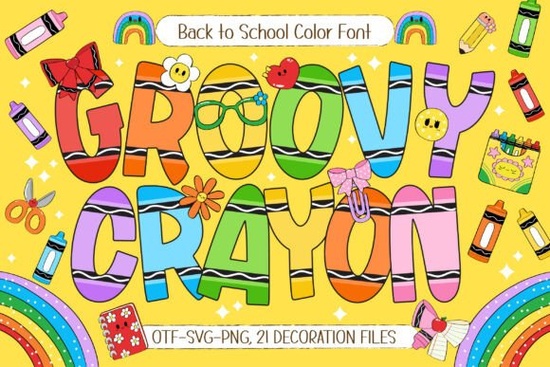
If you're creating back-to-school materials, classroom decor, or kid-focused printables, you’ve probably looked for fonts that feel fun but still legible. That’s where Groovy Crayon Font comes in a hand-drawn color font designed to bring a cheerful, arts-and-crafts vibe to your projects without sacrificing clarity. With its bold letterforms and playful crayon-style details, it mimics the look of actual kids’ handwriting while offering professional polish through digital design.
What makes this font especially useful is its built-in color layers. Instead of needing to manually add textures or outlines, Groovy Crayon includes seven vibrant color variations right out of the box. Each version gives your text a slightly different rainbow-like effect, so you can match classroom themes, seasonal events, or brand palettes with ease. Plus, it comes bundled with 21 school-themed doodle cliparts think apples, pencils, backpacks, and smiley stars that integrate seamlessly into invitations, worksheets, or wall art.
Who actually uses a font like this?
Teachers often need quick, eye-catching resources for bulletin boards, name tags, or reward charts. Print-on-demand sellers use playful fonts like Groovy Crayon for T-shirts, mugs, and stickers aimed at parents and educators. Crafters love it for scrapbook titles, handmade cards, and DIY party banners. Even small businesses running summer camps or after-school programs find it handy for social media graphics and printable activity kits.
If you’ve ever tried using basic script fonts for children’s content and found them too delicate or hard to read, Groovy Crayon offers a sturdier alternative. Its thick strokes and rounded shapes are easy for young eyes to follow, while the added doodles keep things visually engaging without looking cluttered.
How does it compare to other colorful fonts?
Not all color fonts are created equal. Some rely heavily on transparency or complex layering that doesn’t translate well to print or certain software. Groovy Crayon is built as an OpenType-SVG font, which means it works smoothly in compatible programs like Adobe Photoshop (CC 2017+), Illustrator, and Affinity Designer. Just install it like any regular font, type your text, and the colors appear automatically no extra steps.
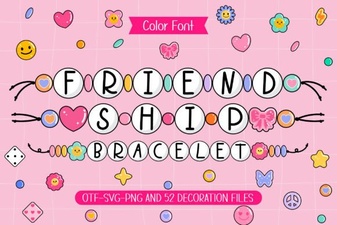
For those who enjoy mixing styles, you might also like the Friendship Bracelet Font, which leans more into whimsical, hand-lettered charm with pastel tones. But if your focus is strictly on school energy think bright crayons, chalkboard doodles, and classroom joy Groovy Crayon stays on theme without veering into generic cuteness.
Real-world project ideas
Here are a few practical ways creators are using this font right now:
- Editable teacher planners: Use Groovy Crayon for section headers like “Weekly Goals” or “Student Notes” to add personality without overwhelming the layout.
- Classroom door signs: Pair the font with included doodles to welcome students with phrases like “Ms. Lopez’s Learning Lab!”
- Custom stickers: Print motivational phrases (“You Got This!”, “A+ Effort”) on vinyl sheets for student rewards.
- Back-to-school sale flyers: Local bookstores or craft shops can use it in promotional posters to attract families.
- Digital greeting cards: Combine it with watercolor backgrounds for birthday or end-of-year thank-you notes.
Because the font includes both uppercase and lowercase letters plus punctuation, it’s versatile enough for full sentences not just headlines. And since it’s vector-based, scaling up for posters or down for labels won’t lose quality.
You can explore the full collection and licensing options directly on Creative Fabrica: Groovy Crayon Font.
Before you download: compatibility tips
Make sure your design software supports color fonts. While newer versions of Adobe apps handle them well, older programs or basic word processors may only show a single flat color. If you’re using Canva, note that it doesn’t currently support OpenType-SVG fonts you’ll need to create your text in a compatible program first, then import it as a PNG or SVG.
Also, check the license based on your use case. The standard Creative Fabrica subscription covers personal and commercial use (including POD), but always verify if you’re selling physical products or distributing digital templates.
Quick checklist before starting your project:
- Confirm your software supports color fonts (Photoshop CC 2017+, Illustrator CC 2018+, Affinity apps).
- Download and install the font file (.otf) from your Creative Fabrica account.
- Open your design tool, select “Groovy Crayon” from the font menu, and start typing.
- Browse the included doodle set many are accessible via glyph panels or as separate SVG/PNG files.
- Test print a sample if using for physical materials to ensure colors render as expected.
 Fonts for Unique Friendship Bracelet Designs
 Rainbow Memories Font: Design Projects & Creative Uses
 Choosing Fonts for Your Hoodie Design Project
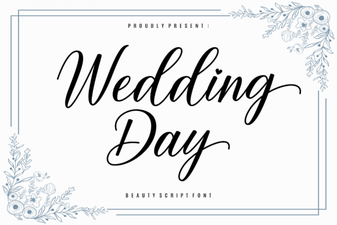 Wedding Day Fonts: Your Complete Design Guide
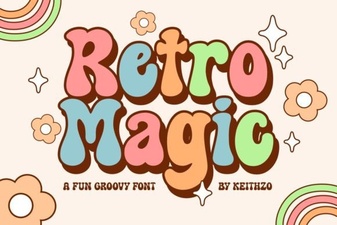 Retro Magic Fonts for Creative Designs
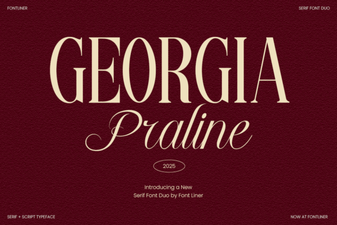 Georgia Praline Font in Creative Design Projects